Hey all, I’m attempting to improve my cascaded shadow map rendering and found that my view frustum calculations were wrong.
For reference, my view frustum slices look like this from the side:

The frustum doesn’t perfectly fill the entire screen when viewed front-on, meaning my view frustum (yellow rectangle) is incorrectly sized:
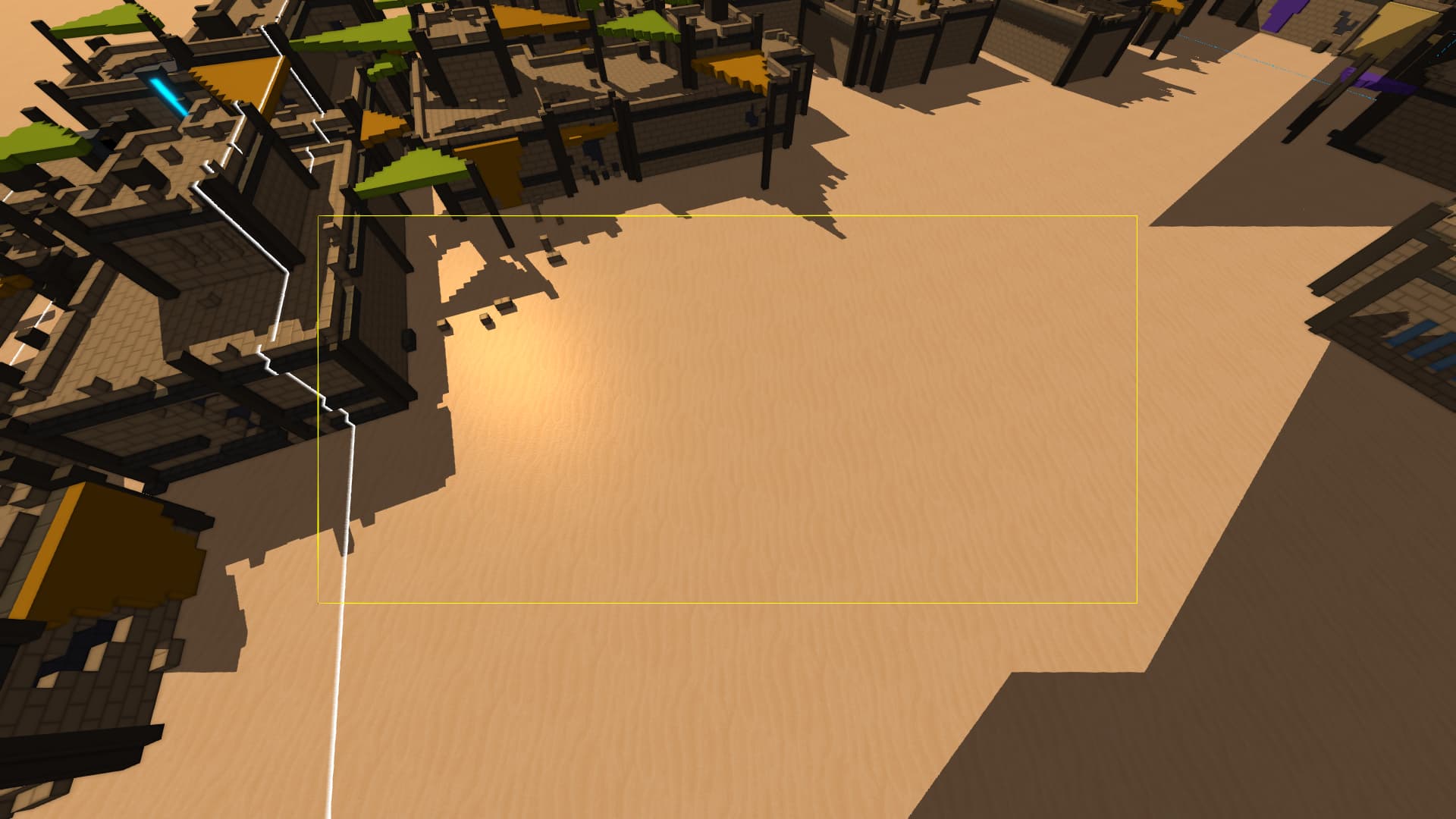
My code for calculating these frustums is pretty standard, following guides like the OGLdev Cascaded Shadow Mapping guide:
void CalculateViewFrustums(float fieldOfView, float aspectRatio)
{
    // Calculate world and light view matrices
    Matrix4F worldViewInverse = Matrix4F.CreateFPSView(thisFrameCameraPositionF, (float)thisFrameCameraPitch, (float)thisFrameCameraYaw).Inverse();
    Matrix4F lightViewSpace = Matrix4F.CreateLookAt(LightDirection, Vector3F.Zero, up);


    // Calculate view angle
    // fieldOfView is in radians
    // aspectRatio is screenHeight / screenWidth
    float tanH = MathF.Tan(fieldOfView / 2.0f);
    float tanV = MathF.Tan(fieldOfView * aspectRatio / 2.0f);


    for (int i = 0; i < CASCADE_AMOUNT; i++)
    {
        // cascadeEnds contains the values [0.001, 8, 16, 32, 64, 128, 256]
        float near = -cascadeEnds[i];
        float far = -cascadeEnds[i + 1];

        float xn = near * tanH;
        float xf = far * tanH;
        float yn = near * tanV;
        float yf = far * tanV;


        // Near face
        frustumCorners[0] = new Vector4F(xn, yn, near, 1);
        frustumCorners[1] = new Vector4F(-xn, yn, near, 1);
        frustumCorners[2] = new Vector4F(xn, -yn, near, 1);
        frustumCorners[3] = new Vector4F(-xn, -yn, near, 1);


        // Far face
        frustumCorners[4] = new Vector4F(xf, yf, far, 1);
        frustumCorners[5] = new Vector4F(-xf, yf, far, 1);
        frustumCorners[6] = new Vector4F(xf, -yf, far, 1);
        frustumCorners[7] = new Vector4F(-xf, -yf, far, 1);


        // Transform frustum corners to world space. These are the coordinates I use to visualise the buffer
        for (int j = 0; j < 8; j++)
            frustumCorners[j] = frustumCorners[j] * worldViewInverse;


        // Transform frustum corners to light-space
        for (int j = 0; j < 8; j++)
            frustumCornersLightSpace[j] = frustumCorners[j] * lightViewSpace;


        // Calculate bounds of the light-space frustum
        GetMinMax(frustumCornersLightSpace, out Vector3F min, out Vector3F max);


        // Store the right/left/bottom/etc for this cascade
        orthoInfo[i].r = max.X;
        orthoInfo[i].l = min.X;
        orthoInfo[i].b = min.Y;
        orthoInfo[i].t = max.Y;
        orthoInfo[i].f = max.Z;
        orthoInfo[i].n = min.Z;
    }
}
I then began to doubt my Matrix4F functions were correct, so I’m sending them here just in case:
public static Matrix4F CreateFPSView(Vector3F eye, float pitch, float yaw)
{
    eye.X = -eye.X;
    eye.Y = -eye.Y;

    var cosPitch = MathF.Cos(pitch);
    var sinPitch = MathF.Sin(pitch);
    var cosYaw = MathF.Cos(-yaw);
    var sinYaw = MathF.Sin(-yaw);

    var xaxis = new Vector3F(cosYaw, 0, -sinYaw);
    var yaxis = new Vector3F(sinYaw * sinPitch, cosPitch, cosYaw * sinPitch);
    var zaxis = new Vector3F(sinYaw * cosPitch, -sinPitch, cosPitch * cosYaw);

    // Create a 4x4 view matrix from the right, up, forward and eye position vectors
    return new Matrix4F(
        xaxis.X, yaxis.X, zaxis.X, 0,
        xaxis.Y, yaxis.Y, zaxis.Y, 0,
        -xaxis.Z, -yaxis.Z, -zaxis.Z, 0,
        Vector3F.DotProduct(xaxis, eye), Vector3F.DotProduct(yaxis, eye), Vector3F.DotProduct(zaxis, eye), 1);
}

public static Matrix4F CreateLookAt(Vector3F eye, Vector3F target, Vector3F up)
{
    var z = (eye - target).Normalized;
    var x = Vector3F.CrossProduct(up, z).Normalized;
    var y = Vector3F.CrossProduct(z, x).Normalized;

    var rot = new Matrix4F(x.X, y.X, z.X, 0.0f,
                            x.Y, y.Y, z.Y, 0.0f,
                            x.Z, y.Z, z.Z, 0.0f,
                            0.0f, 0.0f, 0.0f, 1.0f);

    var trans = CreateTranslation(-eye);

    return trans * rot;
}
As a last resort I tried multiplying tanH and tanV by 2, in case my frustum was half-size, but this didn’t line up with my screen size (extended past the sides and didn’t reach the top/bottom).
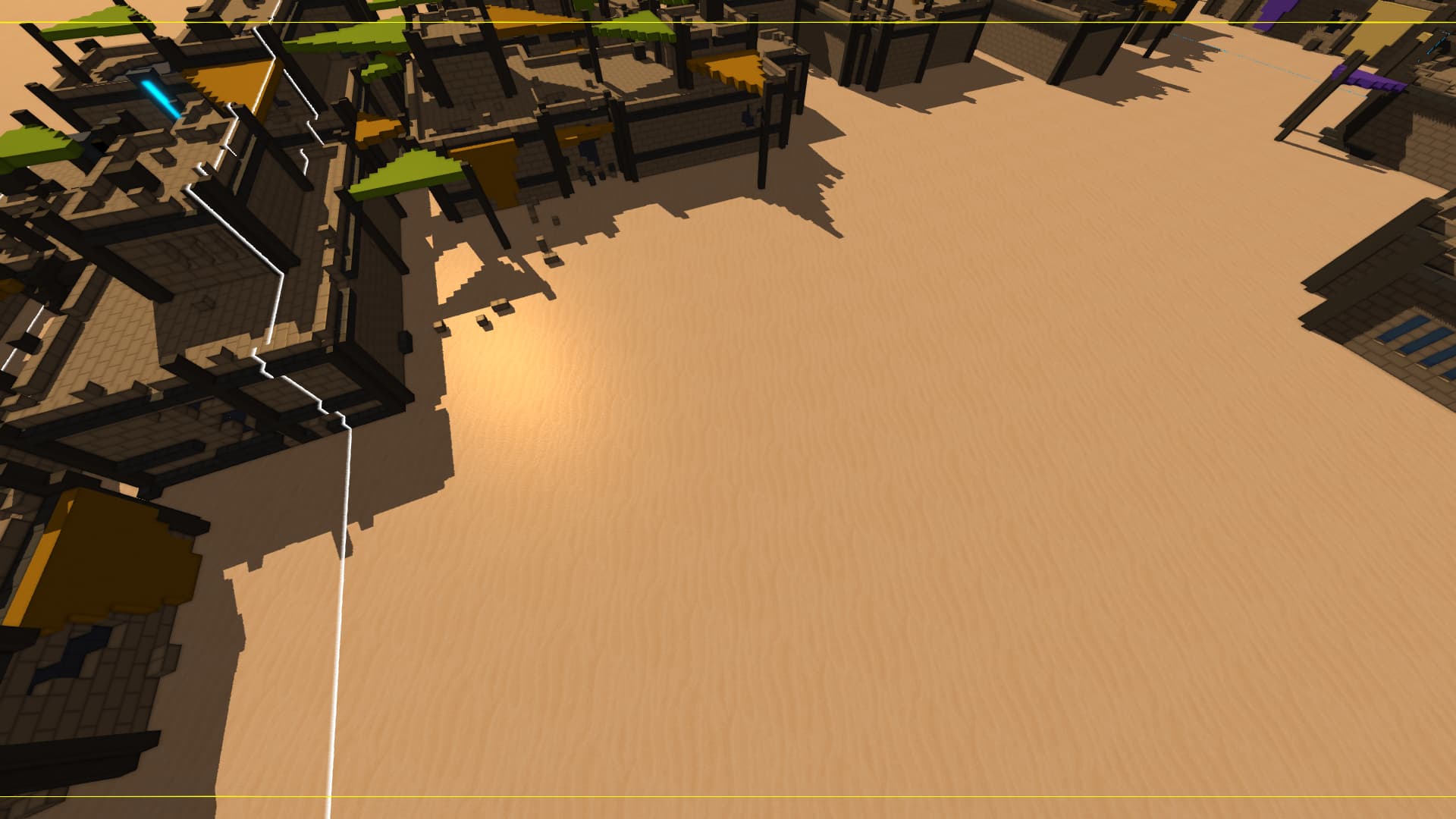
This raises questions about what else I’m doing wrong, since it seems my aspect ratio (1920.0 / 1080.0, same as my monitor) isn’t even correct.
Any help with this would be greatly appreciated. I’d pay for an OpenGL mentor if that were a thing!