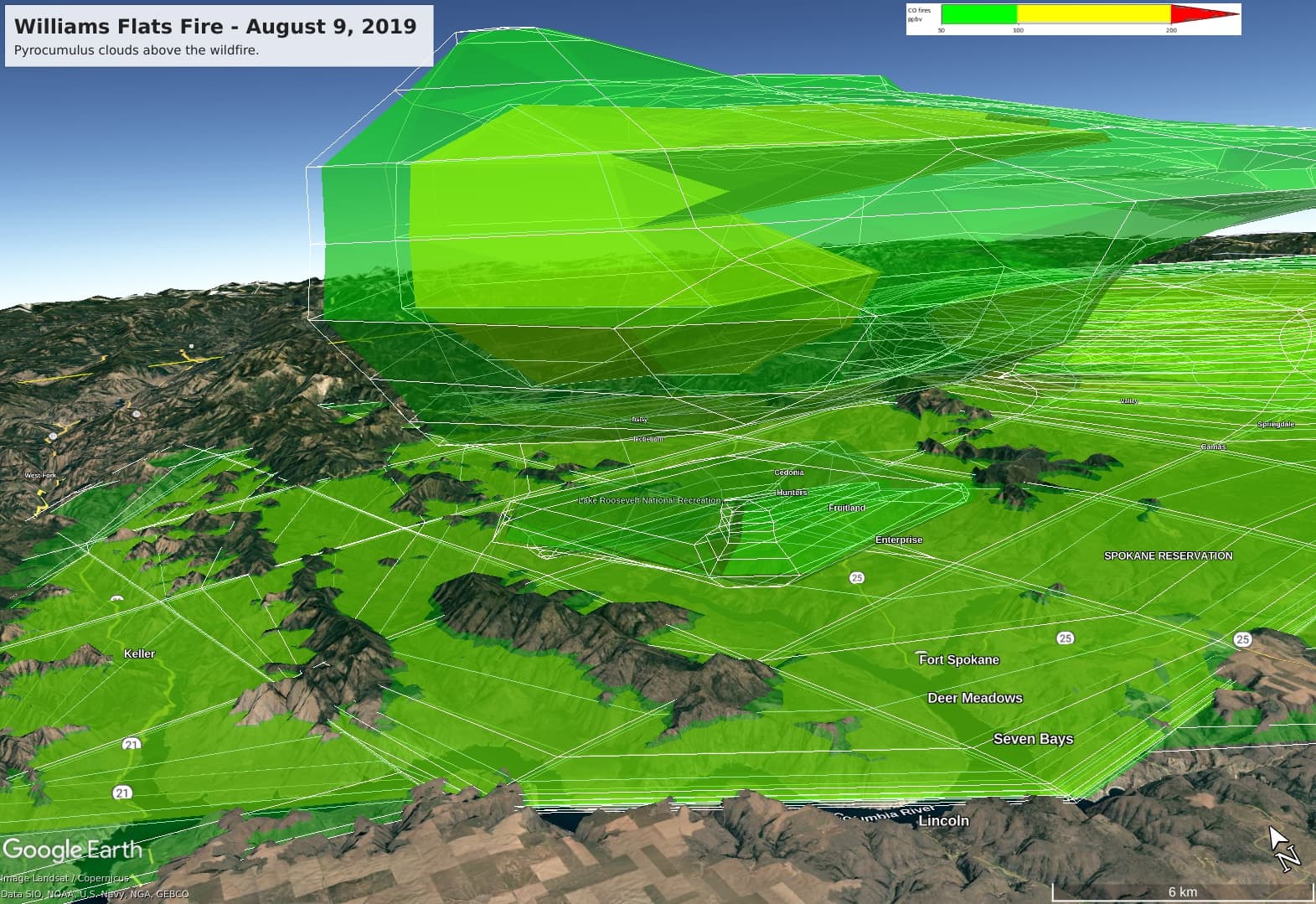
Here is the KML experiment showing a pyrocumulus plume of smoke from the Williams Flats Fire in August 2019. The green (and nested yellow) isosurfaces are created with COLLADA 3D models and rendered in Google Earth. The gridded cage (wireframe) around the isosurfaces is built in KML with LineStrings of width=1 pixel. The purpose of the white grid lines is to bring out the 3D contours better.
The grid cage does not line up accurately with the edges of the COLLADA triangles; see upper left, below the image title. It is the same Cartesian-to-polar-coordinates conversion, but there is some difference in accuracy between COLLADA and whatever calculation Google Earth carries out in the viewer. This inaccuracy is why I would prefer to express both the isosurfaces and the grid lines in COLLADA.
The line width=1 pixel in KML looks satisfactory for visibility. I will try creating the grid cage in COLLADA and see if the paired 3D elements line up better.
The KML file size increases from 600 Kb to 20 Mb. It takes about 16 seconds to load the KML file, but the performance is satisfactory after that (zooming, panning).
It would be nice to know where the line_string parameter belongs in COLLADA and how to use it properly. I want to avoid requiring my users to squint at their screens.